Upload works!
I re-did the attempts from the last time in a less ambitious way, leading paradoxically to a working upload mechanism that allows me to replace the images in...
The goal today is to reach Milestone 1, in other words, have a trivial HTML file in my repository, and a hosting set up to receive it via a CI/CD process.
(Also, I am reinstalling Ruby, because the first time it got installed into my home folder, and removing it from there naively made sure Jekyll broke, meaning the previous paragraph failed in GitHub Pages CI/CD instead of my local environment, wasting time 🤦♂️. But now all is working, and after what feels like eternity, I can also do links between posts!)
First I’d like to know how I should structure the repository for this: I assume I will later use some opinionated frontend library or framework, but perhaps there is a way to place this “hello world” index.html in a folder that would make sense?
Dušan?
Oh, I see what you’re doing… Pretending we already have a build system without actually having one. That’s… that’s actually quite clever. Simple, even.
your-project/
├── dist/
│   └── index.html    # Your "built" file lives here
├── .gitignore
└── README.md
But wait! Don’t add
dist/to.gitignorein this case. Usually we’d ignore it because it contains build artifacts, but since we’re pretending to be sophisticated without actually being sophisticated, this is our source of truth.
Here’s your stripped-down
.gitignore:.DS_Store .idea/ .vscode/
Later, when you inevitably succumb to the siren call of node_modules and actually implement a build system, then you can move everything to
src/and update the.gitignore. But for now… this is refreshingly straightforward.
Want to proceed with the GitHub Actions setup? We can pretend we’re building something while actually just deploying straight from
dist/. Sometimes the best engineering is no engineering at all.
First and foremost I need to pick a place that will host my frontend code. For free, of course. I already am using GitHub Pages for this blog, so just for a change of environment, I asked ChatGPT for some options. Two contenders come out on top for me: Netlify and Vercel. I will admit I wanted to try out the latter for a long time now, so let’s go! 🚀
index.html mentioned above trivial. It’s on twentyfive-iota.vercel.app, at least temporarily!A - exciting!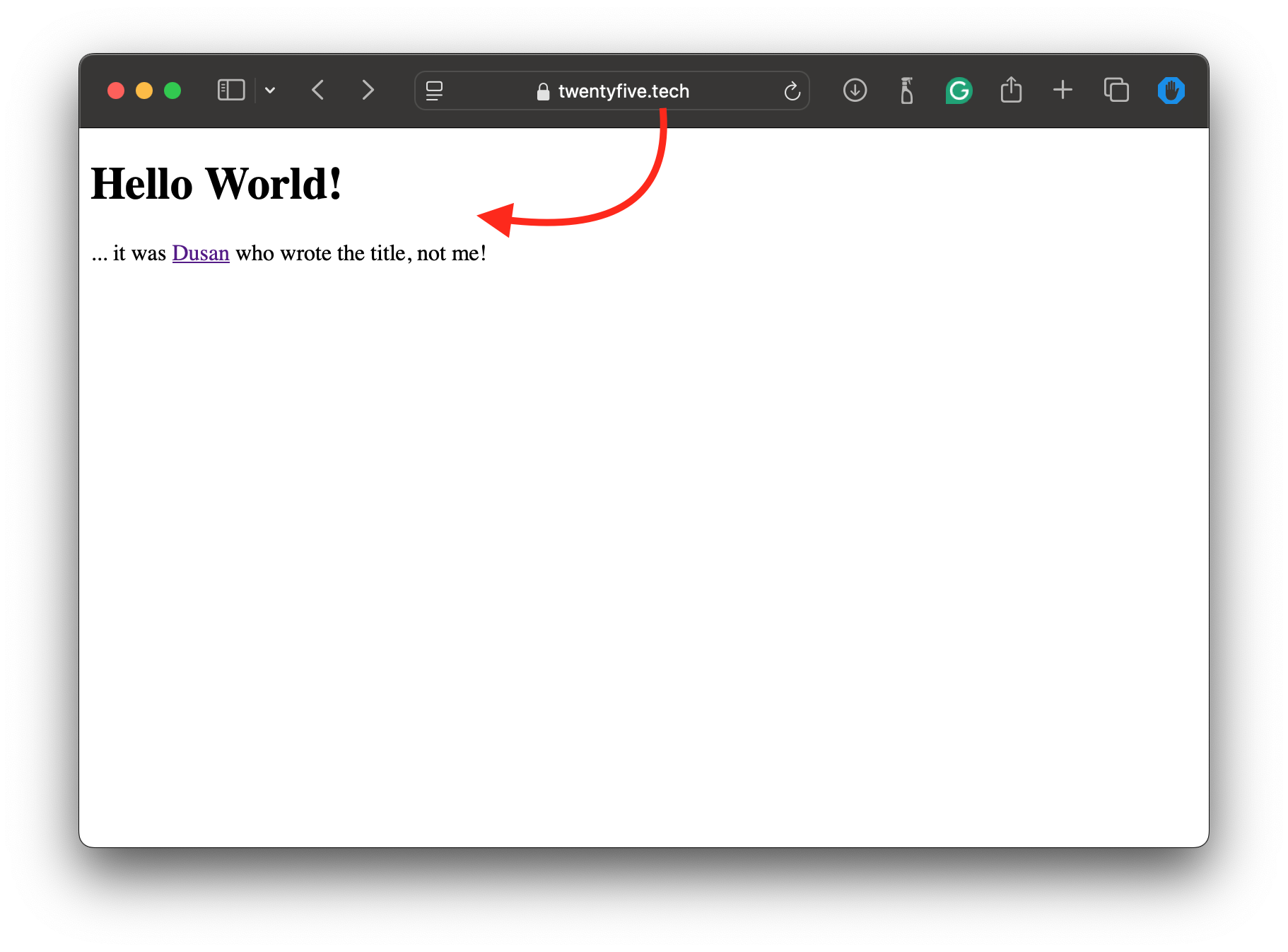
Okay, I consider this to be set up. This was fun! Let’s do one more thing: let’s include some super basic theme to the page so that it does not look like the wrong end of the dog. Any ideas, Dušan?
(I asked him to bake the explanation in the page code itself, which has hilarious results.)
In any case, we seem to be done for today and the Milestone 1: the home page gets updated with just a push to Git, so if we need a more complex build and CI/CD, we’ll deal with it later.
:white-checkmark: for this one, please!
I re-did the attempts from the last time in a less ambitious way, leading paradoxically to a working upload mechanism that allows me to replace the images in...
The time, energy and motivation I can muster for the project in the past weeks is dwindling, which is probably obvious also from the gap since the last blog ...
Rant
Goal
Goal
Goal
Premise
Let’s face it, the CI/CD we set up last time was pretty lame, in that it did absolutely no building and just published a static HTML. So the goal today is to...
The goal today is to reach Milestone 1, in other words, have a trivial HTML file in my repository, and a hosting set up to receive it via a CI/CD process.
As you can plainly see, the blog is available online on blog.twentyfive.tech! It’s been that way since yesterday, and it was mostly smooth sailing to get her...
Challenge
Organization challenges
Architectural & Infrastructural challenges
Development challenges
Challenges
The End Goal
The Methodology
This blog & project x AI
The Motivation
A.k.a., what are we even trying to solve, and why?
Welcome to this blog! It started out in December 2024 as a way to write technically about a pet project to sharpen some of my skills.